

November 10, 2026
Flexible pre-screens and a smoother booking flow
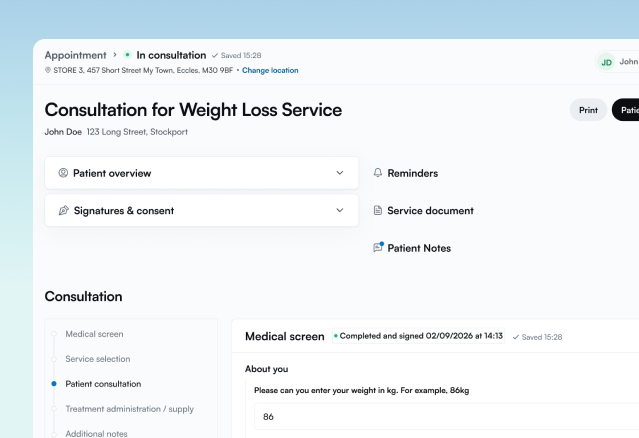
Pre-screens are now more flexible. Questions can be skipped or deferred, and staff can complete them from the consultation administration page. This release also smooths out the patient booking flow and adds a range of improvements for head office users and staff.
What’s new
- Head office users can now turn on skip buttons for a service in the service builder, so patients can skip parts of the pre-screen.
- Head office users can now make a service’s pre-screen deferrable from the service builder.
- Head office users can now use a new chip-switch question type in the service builder.
- Staff can now complete pre-screen questions from the consultation administration page, including any the patient skipped.
- Staff can now edit the consents a patient has opted into from the edit record page.
- Staff can now create non-service events in their calendar.
Improvements
- Head office users can now preview questions exactly as patients will see them in the pre-screen.
- Head office users can now filter document configuration by whether each document is active.
- Head office users now see Prescribe services in the same card layout as PGDs.
- Head office users and Staff now have an updated header with breadcrumbs and refreshed background colours.
- Staff can now collapse cards on the consultation administration page to save screen space.
- Staff now have a refreshed pre-screen search page layout.
- Staff and Patients no longer need to answer Gender at Birth on every pre-screen, as it now fills in automatically.
- Patients now see more information in the booking progress bar.
- Patients can now see their chosen date and time throughout the booking flow.
- Patients now enter their address details on a separate page during booking.
Bug fixes
We’ve also resolved a number of reported issues in this release.