
Live from Wednesday 11 November
A faster, simpler booking flow
This is the second half of our booking flow improvements, designed to get patients from “I’d like an appointment” to “booked” in fewer clicks:
- No welcome screen. Patients go straight to branch selection.
- A clearer progress bar. The date, time and pharmacy are always visible, so patients never lose track of what they’re booking.
- Combined consent and confirmation. Two pages become one.
Fewer steps means fewer patients dropping out before they finish, which matters most for services where the booking is the whole conversion.
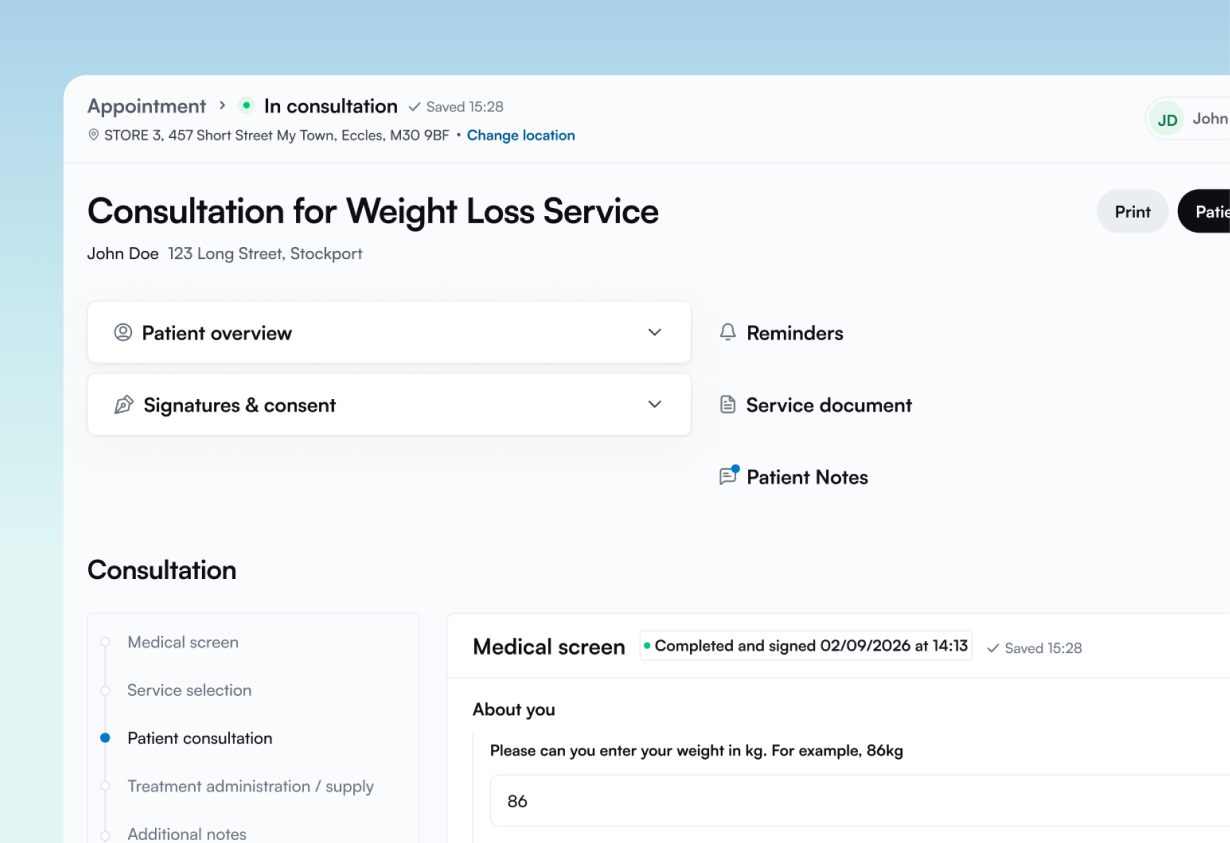
A more flexible consultation page
The consultation page has had a significant upgrade:
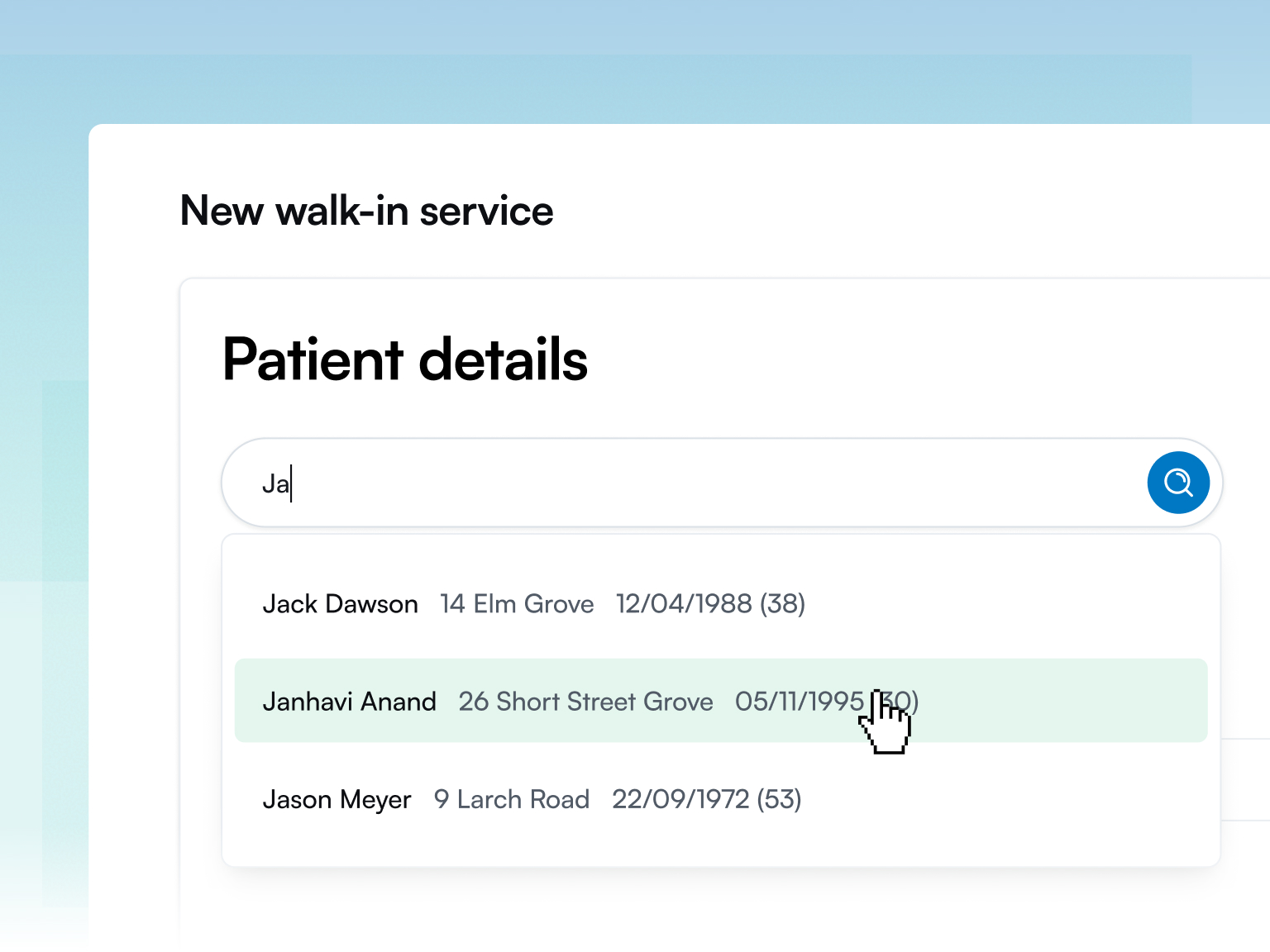
- Start without a completed pre-screen. You can begin a consultation even if the patient hasn’t finished their pre-screen, then complete or edit the questions from within the consultation. This suits walk-ins and patients who booked but didn’t get round to the questionnaire.
- Collapsible cards. Collapse sections to save space, or to keep information private on screen when you need to.
- Visible auto-save. Consultations have always auto-saved, and you can now see it happening on the page.
Switch pre-screens off, per service
This is a big one. In Service Builder, you can now turn the pre-screen off for individual services.
That means you can set up a booking-only service with no medical questions at all. It’s a good fit for services where a clinical questionnaire adds friction rather than value.
Non-clinical events in your calendar
You can now add non-clinical events to your calendar, such as a reminder to clean the fridges, and add a patient to an event where it’s useful. Your diary now covers the whole day, not just appointments.
Already live
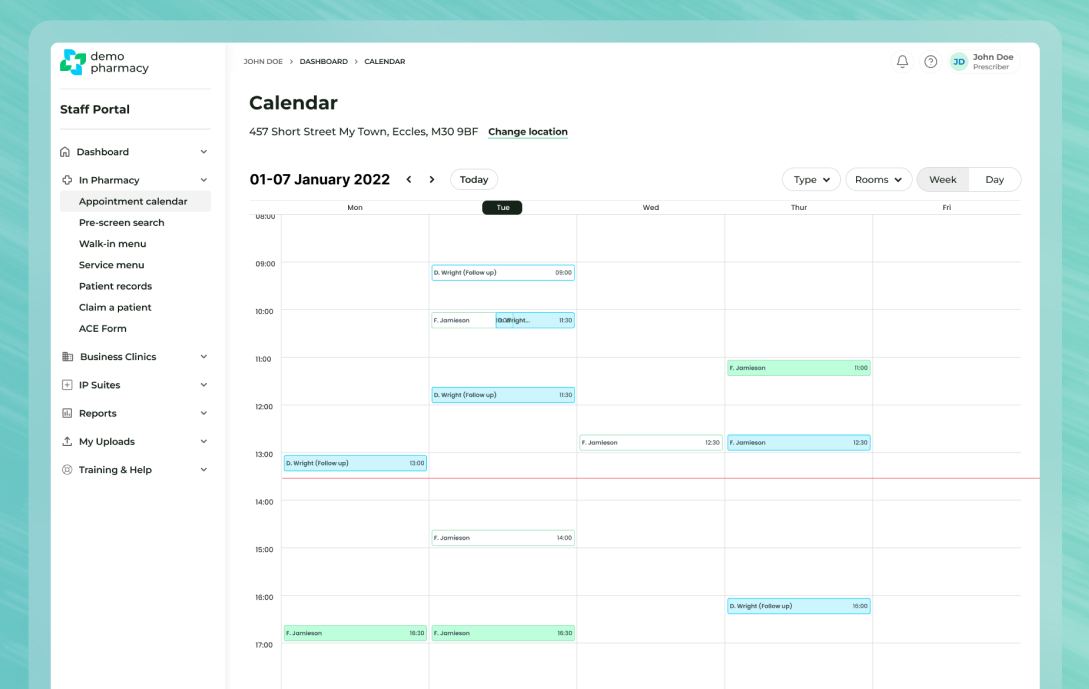
A clearer calendar
We’ve significantly improved the calendar to make it easier to read at a glance, especially for busy clinics with lots of appointments running side by side.
Major upgrades to the Pharmacy Portal
The Pharmacy Portal is an account designed for the pharmacy counter. It shows the calendar, dashboard and booking menus, which makes it ideal for managing appointments through the day. Consultations can’t be run from this account, so it works best alongside your clinical logins.
The booking menu has also been improved, with clear self-service QR codes for patients and links for your team to schedule appointments.
Deltera Prescribe and DemDx
Deltera Prescribe continues to give Independent Prescribers a GP-style open consultation tool, with a structured, flexible workflow for everything from planned appointments to walk-in, undifferentiated presentations.
Prescribe is integrated with DemDx, and on Wednesday 11 November that integration updates again to make the flow even more seamless.
Seeing you at The Pharmacy Show
Thank you to everyone who came to say hello at The Pharmacy Show. It was great to hear how Deltera is working in your pharmacies, to hear what you’d like to see next, and to share a few tips and tricks in person. Many of the improvements above were shaped by conversations like those.
Get the most from the update
If you’re already on Deltera, your team will see these changes automatically from Wednesday. Browse our user guides, or get in touch if you’d like a refresher for your branches.
If you’re not yet on Deltera and want to see how PGDs, prescribing and bookings work together on one platform, we’d love to show you.
Book a Deltera demo
More posts




Discover the Deltera Platform
The Deltera Platform digitalises your private pharmacy services, providing the complete pharmacy software package to offer a full range of Patient Group Directions (PGDs). Gain the oversight and efficiency you need to thrive.

Ready to transform your pharmacy's clinical service?
Join the thousands of UK pharmacies using Deltera to grow their revenue and improve patient care.