

Every minute a pharmacist spends searching for a patient record, re-typing details they've already collected, or clicking through unnecessary screens is a minute not spent on clinical care. This latest update to our pharmacy management software is built entirely around clawing that time back — for your team, and for your patients.
The latest update brings the new Patient List view. But this release also tidies up the booking flow, the walk-in experience, and a few things behind the scenes, so the whole journey from "patient walks in" to "consultation started" is faster from end to end.
The Patient List: pharmacy patient record management built for speed
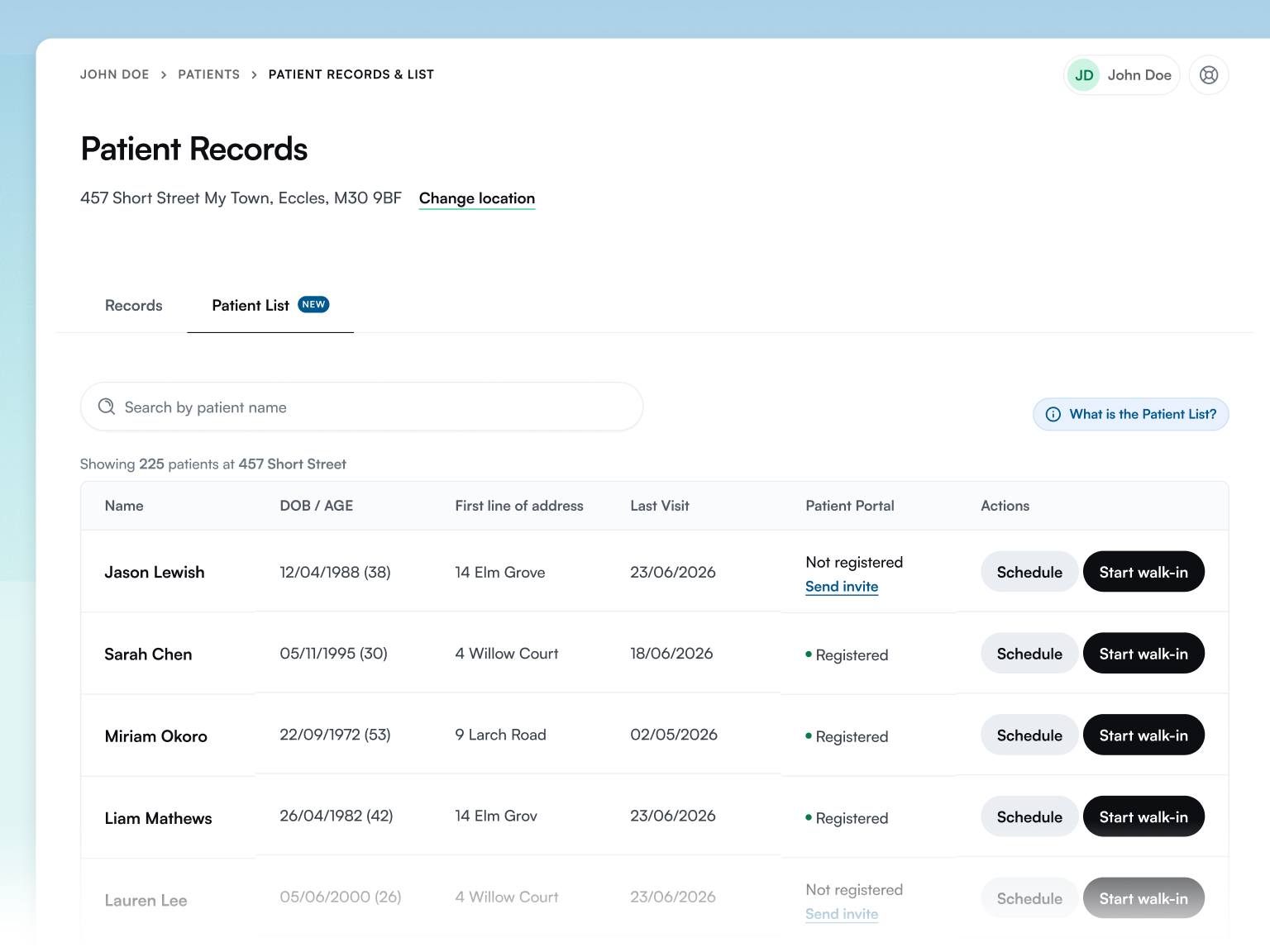
During a busy walk-in period, every second counts. The new Patient List view on the Patient Records page makes finding and starting a consultation with any patient faster than ever — built to handle duplicate entries and fragmented records with ease, so your team always lands on the right patient, first time.
- Records are grouped intelligently so duplicate or fragmented entries for the same person surface together as a single, unified patient record.
- Start a walk-in or schedule an appointment straight from the list, in a couple of clicks, without leaving the page.
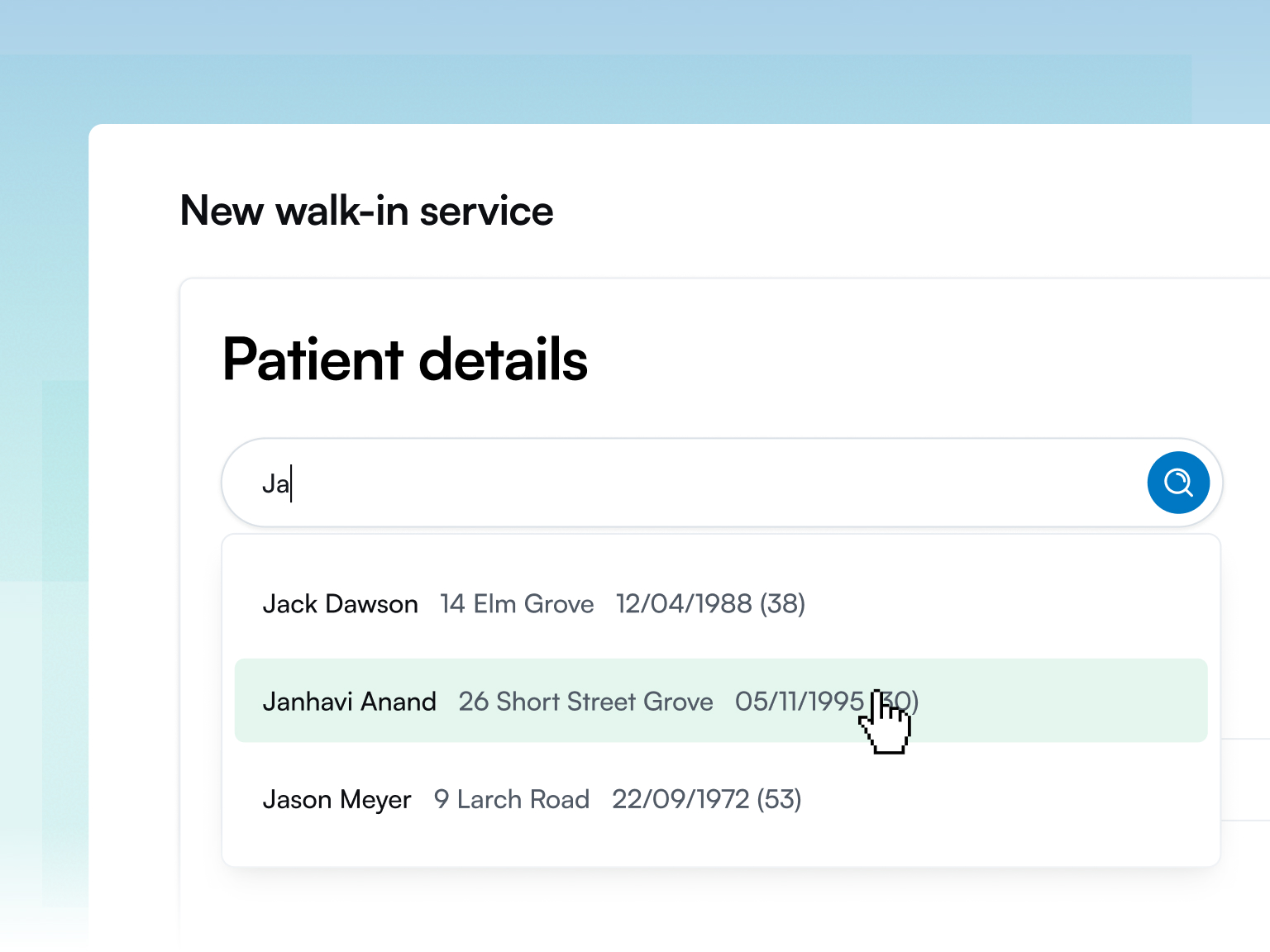
- Details pre-fill automatically from the patient's last consultation, so your team isn't re-entering information that's already on file.
- It's accessible from both the main navigation and the existing Patient Records page, so however your team works, it's never more than a click away.
For a returning visitor booking their next travel vaccination PGD service, or a weight management patient coming back for a titration review, this means less time on data entry and more time in the consultation — which is exactly where it should be spent.
Rollout note: Patient List is rolling out to Pharmacist accounts first, with the Pharmacy Portal following shortly after.
A cleaner Patient Records page
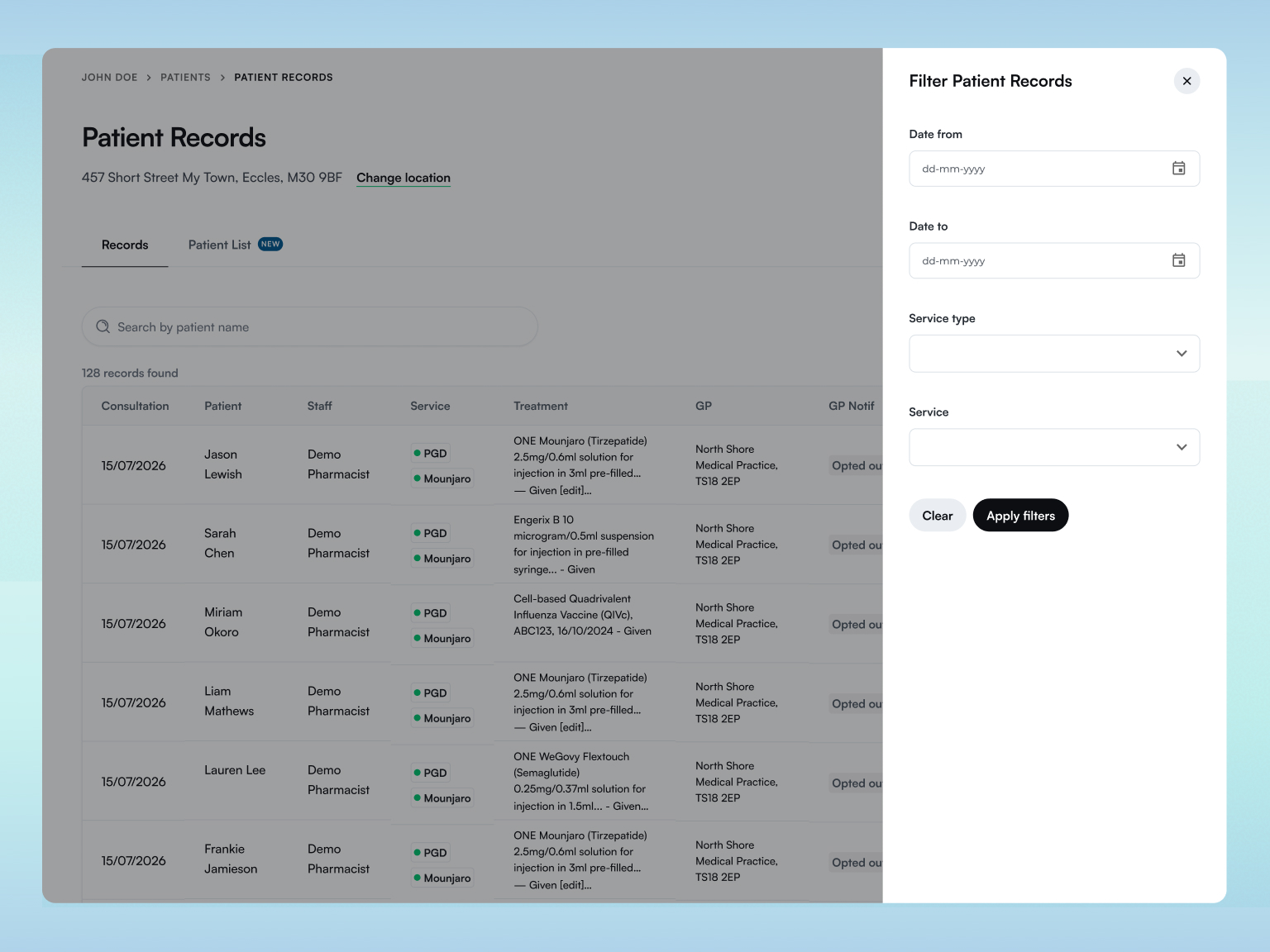
The Patient Records page itself has had a tidy-up to match. Filters now live behind a slide-out panel, keeping the main view clean and easy to scan, and starting a walk-in or appointment directly from a patient's record is now clearer and more obvious — no hunting for the right button.
Fewer clicks, faster pharmacy bookings
We've also cut down the number of screens standing between your team and a started consultation:
- Search the Patient List from directly within the booking flow, so you can find a returning patient and pull through their details instantly, whether you're booking ahead or starting a walk-in on the spot.
- A new "Start a walk-in" button now sits on the dashboard alongside the existing "Schedule new appointment" button, so both of your most common actions are one click away the moment you land on the page.
- Starting a walk-in or booking in a brand new patient is also cleaner and simpler — you can now schedule a whole appointment on a single screen, rather than clicking through several.
A clearer walk-in experience for patients, too
The walk-in menu — often printed and displayed on the counter or in the waiting area — has been redesigned for clarity. It's now obvious at a glance what's a self-service link for patients to scan themselves, versus what's for a pharmacist to offer on the spot.
We've also added a "Walk-in — any service" link, so patients can scan a single QR code, then choose their service afterwards. That means one code can cover every service you offer, rather than a separate code for each — simpler for you to print and display, and simpler for the patient to use. And we've removed an unnecessary step from that journey too: patients scanning a walk-in QR code no longer need to select an appointment date and time.
Coming soon: dedicated print-friendly layouts, designed specifically for pharmacies that display their walk-in menu at the counter or in the waiting area — watch this space.
Smaller improvements, still worth knowing about
A few more refinements landed in this release:
- Navigation refresh: related items are now grouped together in the Head Office navigation, making it quicker to find what you need.
- Login, registration & welcome page: a refreshed look for login and registration, fewer MFA prompts, and a new welcome page at deltera.cloud linking out to all three portals — Head Office, Pharmacy, and Patient Portal.
The takeaway
None of these changes are about adding complexity — they're about removing it. Faster patient lookups, fewer clicks to start a consultation, and a walk-in experience that's obvious for staff and patients alike. Multiply a few saved minutes across every consultation, every day, across your whole estate, and it adds up to a meaningfully more efficient pharmacy management software platform.
Ready to see it in action? Log in to your Deltera account to explore the new Patient List, or book a demo to see how Deltera's pharmacy software can save your team time.
More posts





Discover the Deltera Platform
The Deltera Platform digitalises your private pharmacy services, providing the complete pharmacy software package to offer a full range of Patient Group Directions (PGDs). Gain the oversight and efficiency you need to thrive.

Ready to transform your pharmacy's clinical service?
Join the thousands of UK pharmacies using Deltera to grow their revenue and improve patient care.